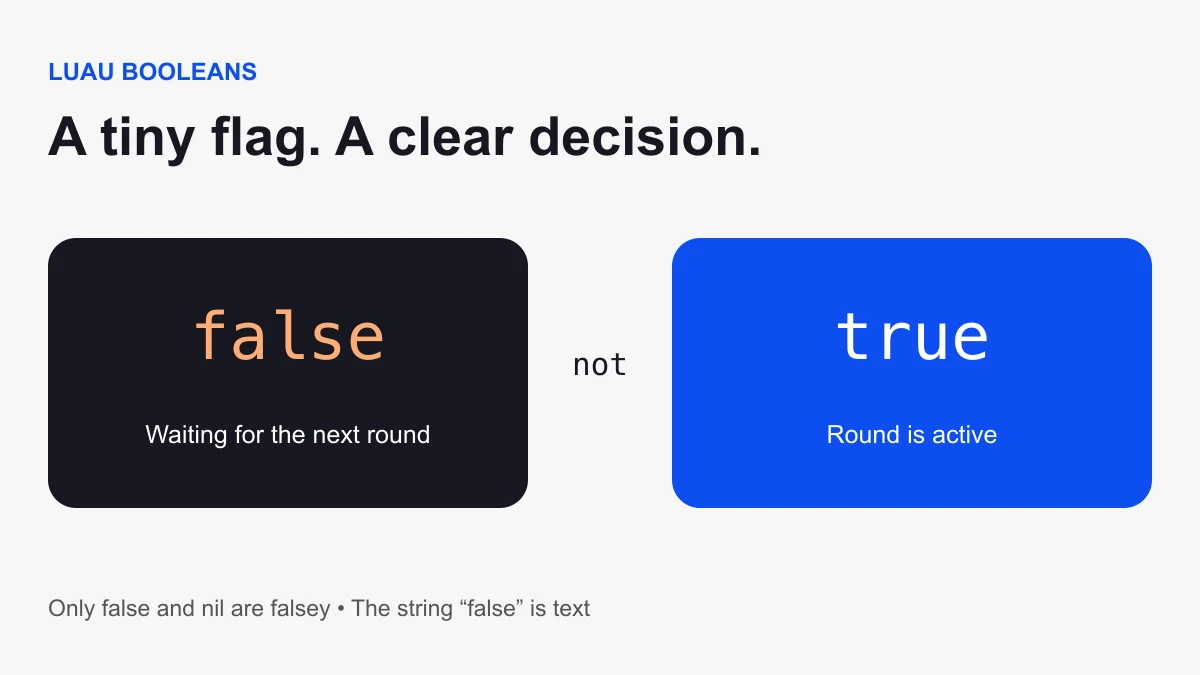
In Roblox Luau, true and false are boolean values. Use them to represent a condition such as whether a round is active or a door is open. They are lower-case keywords without quotes. "false" is text, not a false boolean.
Run your first boolean check
Insert a normal Script in ServerScriptService with default Legacy RunContext. Open Output and start a Studio play test.
local roundActive = false
print(roundActive) -- false

if roundActive then
  print("Round is active")
else
  print("Waiting for the next round")
end
The expected message is “Waiting for the next round.” Change the initial value to true and run a new test. Predict which branch should execute before checking Output. This practice makes an if statement concrete without requiring a full round system.
Toggle a boolean with not
not negates truthiness. For a boolean variable, it flips true to false and false to true.
local doorOpen = false
for attempt = 1, 4 do
  doorOpen = not doorOpen
  print(attempt, doorOpen)
end
Expected states are true, false, true, false. This example only changes a variable. It does not create a door or change a Part’s collision. Connect state to visible behavior as a separate step after the simple sequence is understood.
Only false and nil are falsey
Luau treats only false and nil as falsey in a condition. Zero, an empty string, and the string “false” are truthy. The official Luau library reference describes truthy checks.
| Value | Branch | Common mistake |
|---|---|---|
| false | Else | None: this is a boolean |
| nil | Else | Confusing missing data with an intentional false |
| 0 | Then | Assuming zero means false |
| "" | Then | Assuming empty text means false |
| "false" | Then | Putting quotes around a boolean keyword |
If you want to check a number, write the actual comparison: coins > 0. If you need non-empty text, check its length or compare it to an empty string. Do not rely on a general truthy check to express those different questions.
Combine conditions with and and or
For boolean operands, and requires both conditions to be true; or accepts either. Name the conditions so the rule is readable.
local roundActive = true
local playerAlive = false
local canAct = roundActive and playerAlive
print(canAct) -- false

local hasKey = false
local doorUnlocked = true
local canEnter = hasKey or doorUnlocked
print(canEnter) -- true
More generally, and and or return operands rather than always converting their result to a boolean. For example, nil or "Fallback" returns the fallback string. Keep default-value expressions separate from rules that are intended to produce a true/false result.
Avoid the false-value fallback trap
An expression like condition and value or fallback chooses the fallback when value is false or nil, even if condition is true. Luau provides an explicit if expression for that case; its lint documentation explains the misleading and/or pattern.
local hasSavedSetting = true
local savedSetting = false
local setting = if hasSavedSetting then savedSetting else true
print(setting) -- false
This preserves the player’s intentional false setting. Using savedSetting or true would replace it with true.
BoolValue is an object with a Value property
A BoolValue instance stores a boolean in its Value property. The object itself is not the stored boolean. After finding the intended BoolValue, read flag.Value when checking its state. An existing object used directly in an if condition is truthy regardless of whether its Value is false.
Also handle the case where the object is missing before accessing Value. For a shared gameplay feature, define which server system owns and changes the state. A client-supplied flag is not sufficient proof that a purchase, reward, or permission is valid.
Debug one condition at a time
- Print both the value and its type when a branch surprises you.
- Check whether quotes turned a boolean into text.
- Check whether you tested an object instead of its Value.
- Separate missing data from an intentional false value.
- Test every combination when joining two boolean conditions.
Continue with the practical scripting tutorial for events and state, or use Find All to locate assignments that change a flag. These snippets teach language behavior; they are not complete persistent settings or authorization systems.