Can you use Roblox Studio on a Chromebook?
Roblox Studio does not run natively on ChromeOS. Roblox supports Studio on Windows and macOS, and its education hardware guide explicitly says Studio cannot run on Chromebooks or mobile devices. A Chromebook may run the Roblox player, but playing Roblox and developing with Roblox Studio are different things.
You can verify the platform requirements on Roblox's official Studio setup page and its hardware guide for educators. There is currently no official ChromeOS Studio installer.
That does not mean a Chromebook is useless for Roblox creation. You can design and scaffold a project in a browser, use Roblox Build when your account and mobile device are eligible, or remotely control a supported computer that you own. The honest limitation is that full Studio editing, testing, and publishing still needs Windows or macOS.
What works and what does not
| Option | Works on a Chromebook? | Important limitation |
|---|---|---|
| Roblox Studio installed on ChromeOS | No official support | Roblox provides Studio for Windows and macOS, not ChromeOS |
| Play Roblox | Often, on compatible Chromebooks | The Roblox player is not the Studio editor |
| Obby in Chrome | Yes, as a browser creation workflow | Use a supported Windows/Mac later for full Studio editing and publishing |
| Roblox Build | No official Chromebook support | Use a supported Android or iOS mobile device; rollout, age-check, region, and account limits apply |
| Remote desktop to your PC or Mac | Yes, if your setup and administrator allow it | Needs another supported computer, stable internet, and careful account security |
| Linux, Wine, APK, or modified installers | Not an official Studio workflow | Can break, expose your account, or conflict with school/device policies |
Best Chromebook workflow: create the scaffold in your browser
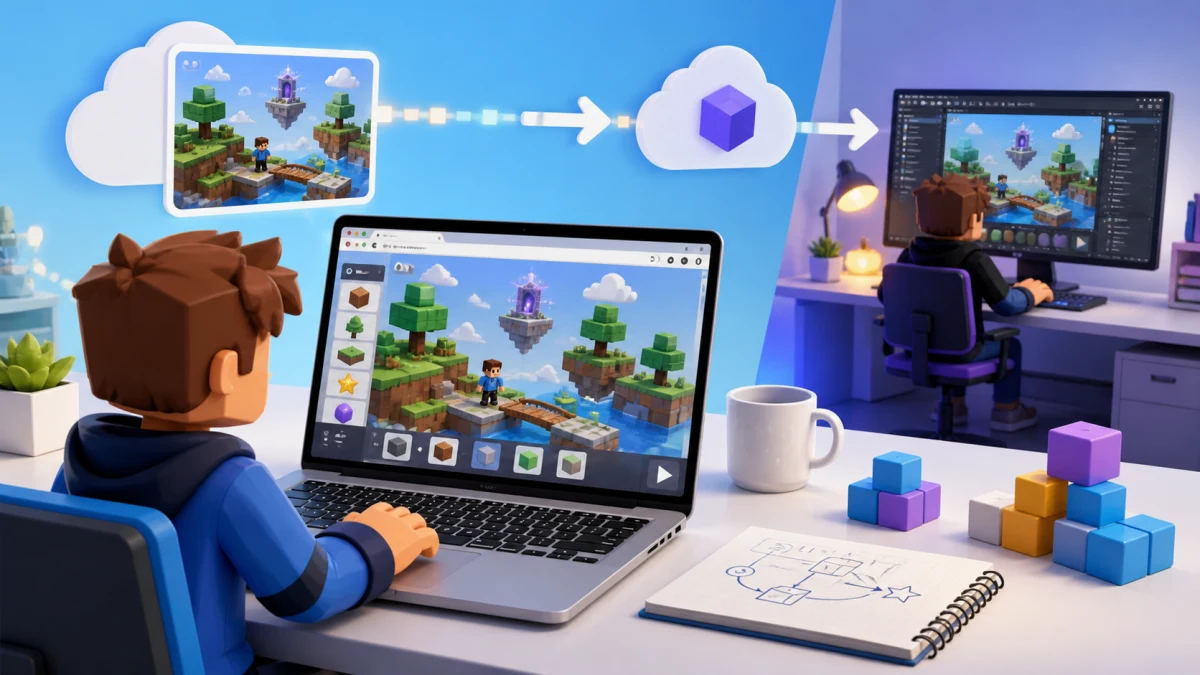
The most direct Chromebook path is to use Obby's browser-based AI Roblox game builder for the first version. Describe the core loop, generate a playable scaffold, refine the concept, and save or export the project. When you later have access to a supported Windows or Mac computer, open the export in Roblox Studio for detailed editing, testing, and publishing.
Step 1: describe one playable loop
Begin with what the player does during the first minute, not a giant feature list:
Create a 12-stage space obby. Add a checkpoint every three stages, low-gravity jumps, moving laser obstacles, a timer, and a finish platform. Keep the first three stages beginner-friendly.
A focused brief is easier to test and easier to continue in Studio. Use our beginner Roblox game ideas if you need a small first project.
Step 2: test the structure in the browser
Check whether the goal, route, difficulty curve, and visual theme make sense. Fix the foundation before asking for shops, pets, quests, multiple currencies, or advanced multiplayer systems. Browser preview is useful for validating the idea, but it is not a replacement for Studio's full engine test modes.
Step 3: keep a handoff checklist
- The exact core loop and win condition
- Spawn, checkpoint, and fail-state behavior
- Scripts or systems that need manual review
- Desktop, touch, and gamepad controls you plan to support
- Assets that still need rights, performance, or moderation checks
Step 4: export and finish on Windows or Mac
Move the exported project through a storage location you control, then open it in an up-to-date Studio installation on Windows or macOS. Review scripts, test client/server behavior, check mobile layouts with Studio's device tools, and publish from the supported computer. Our Roblox Studio tutorial for beginners covers the editor, while the publishing guide walks through the release stage.
Option 2: use Roblox Build where it is available
Roblox Build is Roblox's mobile-first prompt-to-game tool. It works inside the Roblox mobile app for eligible age-checked accounts as availability expands by device and region. If it appears for your supported Android or iOS setup, you can describe, refine, playtest, and publish a simpler game without installing Studio on the Chromebook.
Build availability is account-specific and changes over time. Do not assume that a Chromebook capable of running Android apps automatically qualifies, and do not install an unofficial APK to force the Build tab. Open the current Roblox app on a supported mobile device and check whether Build is offered to your account.
Build is also not a drop-in browser version of Studio. Roblox says its current focus is simpler formats, and moving a Build game into Studio changes how that project is treated. Read our current Roblox Build guide before choosing this route.
Option 3: remote into a Windows or Mac computer
If you already own or are authorized to use a Windows or Mac computer with Studio installed, a Chromebook can act as a remote screen and keyboard. This gives you the real Studio environment because Studio is running on the other computer—not on ChromeOS.
Remote access is most useful for light scripting, checking a property, or starting a test. Expect tradeoffs:
- 3D camera movement and precise building can feel delayed.
- A weak connection can interrupt saves, playtests, or uploads.
- Chromebook keyboard shortcuts may not map cleanly to the host.
- The host computer must stay powered, updated, and secured.
- School or work administrators may prohibit remote-access software.
Use a reputable remote-access product, require strong account protection, and connect only to a computer you own or have explicit permission to use. Never expose Studio or your desktop through an unknown “cloud Roblox Studio” website.
Why Linux and APK tutorials are a bad default
Many search results promise Roblox Studio on Chromebook through ChromeOS's Linux container, Wine, a Windows compatibility layer, developer mode, or a sideloaded APK. Those approaches are not an official Roblox Studio installation path.
- The Android Roblox app is the player, not Studio. An APK cannot turn it into the desktop editor.
- Linux support is not listed for Studio. Even if a compatibility experiment launches, updates, graphics, authentication, plugins, or publishing can fail without notice.
- Developer mode weakens the safety boundary. It may erase local data when enabled or disabled and may violate a managed-device policy.
- Unofficial downloads are an account risk. Modified installers can contain credential stealers or unwanted extensions.
If a tutorial asks you to disable security features, paste an unexplained terminal command, or sign in through a non-Roblox page, stop. For a first project, browser scaffolding plus a later Studio handoff is both simpler and more reliable.
A realistic Chromebook-to-Roblox plan
- Write a one-paragraph game brief in Google Docs or another browser editor.
- Create the first version with Obby and refine one mechanic at a time.
- Save your prompt, design notes, asset list, and exported project in storage you control.
- On a supported Windows or Mac, install Studio from Roblox's official page.
- Open the project, inspect every script, and test keyboard and touch layouts.
- Follow the publishing checklist and keep the editable source backed up.
If your goal is specifically to avoid scripting, see how to make a Roblox game without coding. “Without coding” can shorten the build, but it does not remove the need to test and review the finished experience.
Bottom line
There is no supported Roblox Studio download for Chromebook in 2026. Use ChromeOS for planning and browser-based creation, use Roblox Build only when it is officially available for your mobile account and region, or remotely access a Windows/Mac you control. For full Studio editing and publishing, plan a final handoff to a supported Windows or macOS computer.