One Roblox stud corresponds to 0.28 meters, or 28 centimeters, at Roblox’s documented reference scale. Use the calculator above to convert meters to studs, studs to feet, or lengths in centimeters and inches. You can also enter a custom project scale when your design uses a different consistent interpretation.
How big is a stud in Roblox?
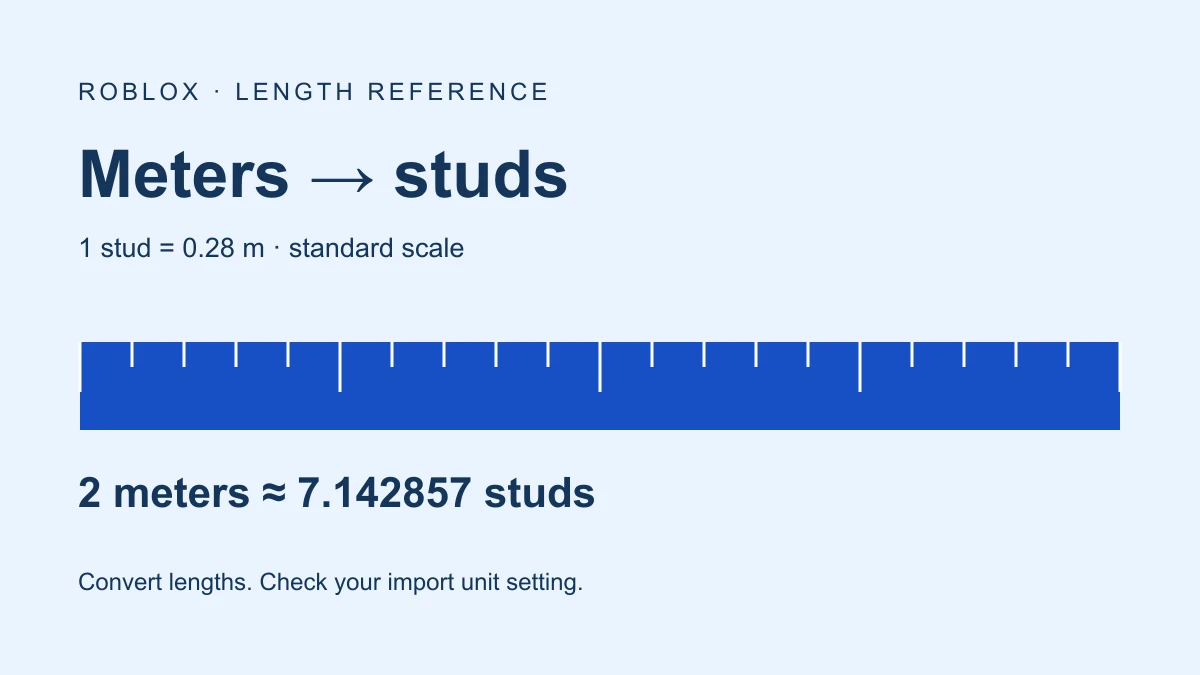
The official Roblox units guide gives a standard length conversion of 1 stud = 28 cm. That makes a stud 0.28 meters, approximately 0.918635 international feet, or 11.023622 inches. A stud is not exactly one foot.
Roblox also explains that its physics engine does not internally convert your chosen unit interpretation. A custom interpretation needs consistent measurements throughout a project. This calculator changes the conversion assumption; it does not change Studio physics, resize a model, or apply an import setting.
Convert meters to studs
At the standard scale, divide the length in meters by 0.28. For example, a proposed doorway 2 meters wide corresponds to 2 ÷ 0.28 = approximately 7.142857 studs. In the calculator, enter 2, choose Meters as the source, and Studs as the destination.
studs = meters / 0.28
meters = studs * 0.28
centimeters = studs * 28
Results keep full floating-point precision during calculation and round the displayed value to six decimal places. Very small or large results use scientific notation. Swap units carries the calculated value into the opposite direction rather than copying the rounded display.
Roblox studs to feet converter
The calculator uses the international foot: exactly 0.3048 meters. The international inch is exactly 0.0254 meters, as documented by NIST’s unit conversion factors. Convert studs to meters first, then divide by the meters in one foot or inch.
feet = studs * 0.28 / 0.3048
inches = studs * 0.28 / 0.0254
studs = feet * 0.3048 / 0.28| Input | Equivalent length |
|---|---|
| 1 meter | 3.571429 studs |
| 2 meters | 7.142857 studs |
| 100 centimeters | 3.571429 studs |
| 10 studs | 2.8 meters |
| 1 stud | 0.918635 feet |
| 1 foot | 1.088571 studs |
Use a custom scale deliberately
Select “Use a custom project scale” and enter the meters represented by one stud. For example, with 0.5 meters per stud, a 1-meter object corresponds to 2 studs. The same length then has a different stud count because you changed the assumption.
Keep that assumption consistent across your assets and measurements. Reset restores the standard 0.28 scale and the 1-meter example. Zero is a valid length; the scale must be greater than zero. Enter decimals without grouping commas. Blank, negative, nonnumeric, or out-of-range values show an error instead of a misleading result.
Check mesh import units before resizing
Roblox’s current MeshScaleUnit reference lists source units including studs, meters, centimeters, millimeters, feet, and inches. Check the import unit setting and the resulting dimensions in Studio. If the importer has already converted the source units, applying the same conversion manually again would change the intended size.
Use the mesh upload practice guide to separate import preview, Workspace placement, and upload. This browser calculator does not import or modify a file. For a three-dimensional size, convert each length component consistently; the Vector3 guide explains the X, Y, and Z components.
What this measurement does not predict
A length conversion does not establish how high a character can jump, how large an object appears on a screen, or whether a passage is comfortable to navigate. Those depend on your actual character, camera, controls, and gameplay settings. Use converted dimensions as a design reference, then test the object in your place.
The formulas and calculator have automated numeric checks. The doorway example is a proposed dimension, not a captured Studio or character-clearance test. Documentation reviewed November 17, 2026.