Roblox plane crash games offer different kinds of sessions: a destruction sandbox, an escape round, or a story that continues after the aircraft goes down. Start with Plane Crash Physics by Slop Cannon for sandbox play, Survive a Plane Crash by Virtual Valley Games for an escape objective, or Plane Crash in the Forest! by Haze LLC for a group story. Check each listing's access requirements before choosing for friends.
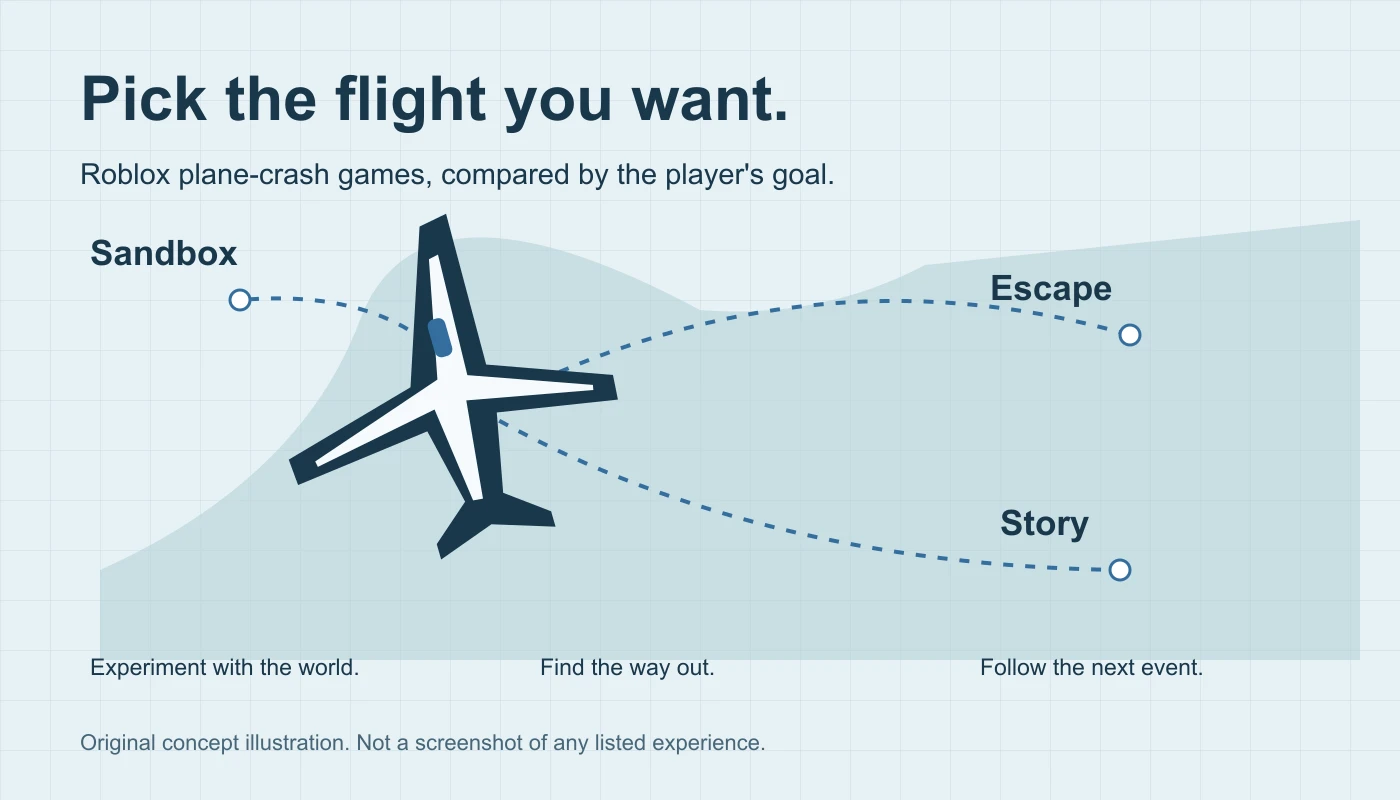
This comparison uses the creators' Roblox descriptions and logged-out listing checks from November 21, 2026. It is not a hands-on ranking. The direct links and creator names matter because several experiences use almost the same title.
Choose a plane-crash game by its main activity
| Experience | Creator | Start here for |
|---|---|---|
| Plane Crash Physics | Slop Cannon | A flight-and-destruction sandbox |
| Survive a Plane Crash | Virtual Valley Games | A survival-gear and escape objective |
| Plane Crash in the Forest! | Haze LLC | A cooperative story after the crash |
The forest listing displayed an Ages 16+ access label in the logged-out review. Open its current page and check eligibility for the people joining. A displayed maturity category and access eligibility are separate details; do not assume a short game description answers both.
Plane Crash Physics by Slop Cannon: sandbox destruction
The Slop Cannon listing describes flying aircraft and breaking objects in a city sandbox. It also describes weapons, optional PvP dogfights and cash earned from destruction. This is the pick for players looking for an open-ended crash-and-experiment format rather than following a narrative.
Before joining together, agree whether the group wants to experiment or compete. Inspect the actual settings and controls in the experience. The creator lists phone and tablet support, but this guide has not tested those controls or performance on a device.
Use the creator name when sharing the link. The title alone does not identify which Plane Crash Physics your friend opened.
Survive a Plane Crash by Virtual Valley Games: find a way out
The Virtual Valley Games description centers on a failing flight, survival equipment exposed during turbulence, and escaping before it is too late. That makes its stated objective different from a sandbox where the point is experimenting with destruction.
Choose this format when your group wants a clear survival problem to solve. On a first attempt, pay attention to how the game explains available equipment, the route out and the result of an attempt. Those are useful observations for deciding whether to continue together.
This is a description-based recommendation, not a walkthrough for guaranteed survival. Equipment availability, round behavior and current joining rules should be checked in the experience.
Plane Crash in the Forest! by Haze LLC: a story beyond the aircraft
The Haze LLC listing describes a mysterious crash followed by working with others to find a way out of a forest, with something else present there. The plane is the opening setup for a survival story rather than the whole activity.
Choose it for a group that wants a shared story premise. Check the current access label before planning the session; the logged-out page showed Ages 16+ at review. Its description mentions store perks, so inspect what a purchase actually does before deciding whether you want it.
The comparison does not establish a completion time, a route through its endings or private-server availability. Keep the first session focused on seeing whether the pacing and group format suit the people playing.
Why is a plane-crash experience unavailable?
A listing can remain searchable while access is restricted. During this review, the older Plane crash physics by @DudeWhoDoesJob displayed Unavailable and said it was not accessible because it was unrated. That was a logged-out observation of that specific listing, not a statement about every game with the same name.
If your link does not work, compare its creator and numeric game ID with the intended page. Read the current availability message and follow Roblox's account and eligibility requirements. Repeatedly opening an unrelated copy does not fix access to the original.
Do not treat a search snippet, visit count or old video as proof that a game is currently joinable. The experience page is the place to check the current message for your account.
Plan a first session with friends
- Share one direct Roblox listing and confirm the creator.
- Check access and the current device requirements for each person.
- Pick the session format: experimenting, escaping or following a story.
- Agree what happens when someone needs another attempt or cannot join the same session.
- Try the controls and the first objective before committing to a long session.
These are practical planning suggestions, not verified private-server, controller or cross-device guarantees for the three games. If the group wants a different vehicle activity, compare the Roblox racing games guide or train games by role.
Turn the format into an original Roblox prototype
For creators, the useful comparison is the structure of the player goal. A sandbox asks what players can experiment with. An escape round asks whether they can understand a route under pressure. A story asks how the next event changes the group's objective.
Start an original airport-escape prototype with a small waiting area, three readable route signs and one exit. Give it one reset rule and a clear end state. Test whether a new player can find the route before adding a large map or an aircraft physics system.
Keep the implementation separate from the inspiration. Create your own layout, characters, names and artwork. For progression between safe points, study the checkpoint example. For readable route cues, compare a day/night cycle against a fixed lighting scene. Neither guide supplies a complete aircraft or survival game.
In an Obby project, describe the first objective, the recovery rule and what confirms completion. Review the implementation and playtest the full round in Studio. For more concepts, use the game idea brief picker.