Start a Roblox rank system by defining what the rank means. A progression title based on XP, a Roblox group role, and permission to run admin commands are different systems. For a first prototype, build one server-owned XP value and derive a visible title from it.
Define a small progression ladder
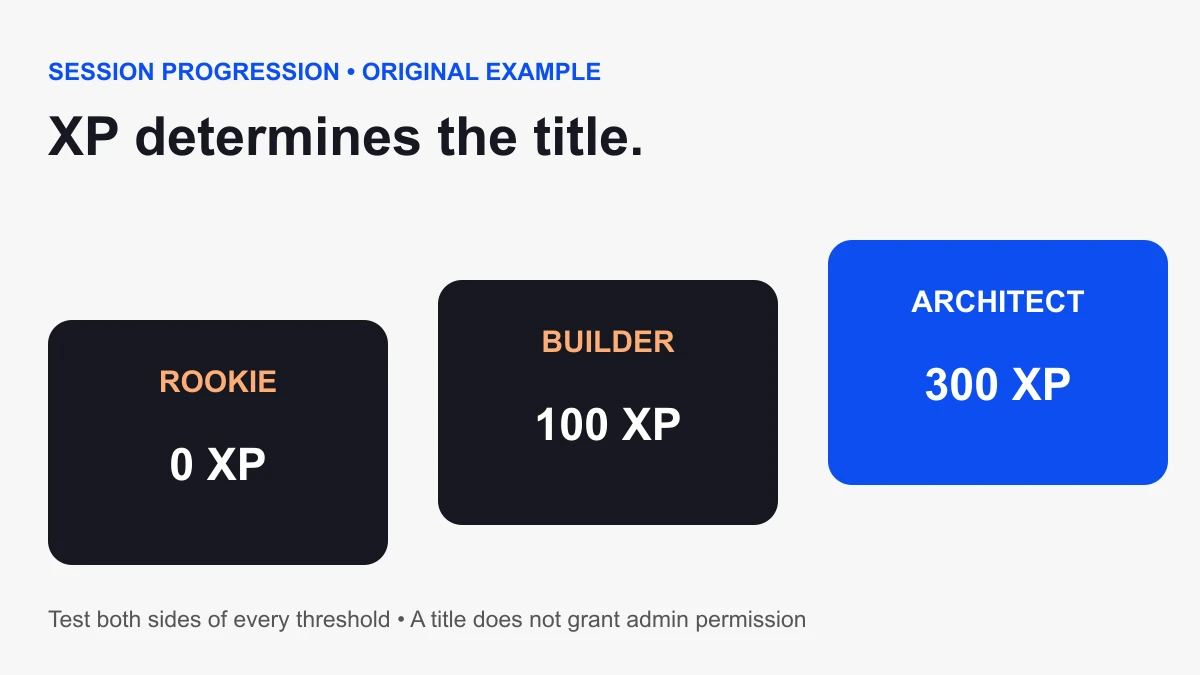
Use three ranks for the first test: Rookie at zero XP, Builder at 100 XP, and Architect at 300 XP. These are original example thresholds, not Roblox defaults. Write down which gameplay actions earn XP before designing a large ladder.
Make the rank descriptive rather than essential to understanding the game. Players should know how to progress from the underlying action, not only from a title. Test whether the first promotion happens at a useful point in the experience.
Create a server-owned session rank display
Create one Script in ServerScriptService with its default Legacy RunContext. This example creates a leaderstats folder with XP and Rank values. Roblox recognizes the lower-case leaderstats name for its built-in player list; see the leaderboard guide.
Use this in a clean practice place. If your game already creates leaderstats, merge the new values into that existing setup rather than adding another competing owner. XP starts at zero for each session and is not saved by this example.
local Players = game:GetService("Players")
local ranks = {
  {minimum = 0, title = "Rookie"},
  {minimum = 100, title = "Builder"},
  {minimum = 300, title = "Architect"},
}

local function titleFor(xp)
  local title = ranks[1].title
  for _, rank in ipairs(ranks) do
    if xp < rank.minimum then break end
    title = rank.title
  end
  return title
end

local function setup(player)
  if player:FindFirstChild("leaderstats") then
    warn("Merge rank values into the existing leaderstats setup")
    return
  end
  local stats = Instance.new("Folder")
  stats.Name = "leaderstats"
  local xp = Instance.new("IntValue")
  xp.Name = "XP"
  xp.Value = 0
  xp.Parent = stats
  local rank = Instance.new("StringValue")
  rank.Name = "Rank"
  rank.Value = titleFor(xp.Value)
  rank.Parent = stats
  xp.Changed:Connect(function()
    rank.Value = titleFor(xp.Value)
  end)
  stats.Parent = player
end

Players.PlayerAdded:Connect(setup)
for _, player in Players:GetPlayers() do
  setup(player)
end
Test the boundary values
During a Studio play test, inspect a player’s XP value on the server. Set it to 99, 100, 299, and 300. Expected titles are Rookie, Builder, Builder, and Architect. Then lower it to zero and check that the display returns to Rookie.
The rank table must remain sorted by increasing minimum XP. If you add a threshold out of order, the early break can select the wrong title. Repeat the boundary test whenever you edit the ladder.
Connect XP to a verified gameplay action
The example does not include an XP-award trigger. Add one only after deciding what constitutes a completed action. For a checkpoint reward, verify the player, checkpoint sequence, and whether that checkpoint was already rewarded. For a quest, verify completion on the server before increasing XP.
A client can request an action, but should not dictate its reward amount. Keep the server’s rank calculation as a derived display; do not accept a client-supplied title as proof of progress. Test duplicate triggers and two players completing the same action.
For a custom on-screen XP or rank label, follow the Roblox GUI tutorial. Keep the displayed title derived from server-owned progress rather than treating the label as the source of truth.
Plan persistence separately
A session display disappears when the player leaves. If the game needs progress across visits, add a deliberate persistence system with load failure handling, save retries, and protection against overwriting valid progress with default values. Keep the rank title derived from loaded XP so a later title change does not require rewriting every saved record.
Do not claim that the example saves progress. Test persistence in a separate stage before using it for a long progression loop.
Group roles are a different input
If the title should represent a Roblox group role, use current group APIs rather than the XP table. Roblox’s GroupService reference documents GetRolesInGroupAsync, which returns membership and public roles. Players can hold multiple roles; stable role IDs identify them, while legacy numeric rank values should not be treated as the role hierarchy.
Define a display policy for multiple roles and handle request failure without inventing a role. Results can be cached, so do not promise immediate in-session updates after a group change. A visible group title also does not automatically give access to your game’s admin features.
Keep admin authorization explicit
An XP title is not an admin permission. If the game needs moderation tools, define a separate server-side authorization policy for each action. Check it when the action is requested, not only when deciding whether to show a button. A player list label is presentation, not a security boundary.
Release checklist
- Test values immediately below and at every threshold.
- Check two players progress independently.
- Trigger the same reward twice and confirm the intended duplicate policy.
- Verify respawn behavior and the session-versus-persistent scope.
- Inspect missing or existing leaderstats behavior.
- Keep group-role lookup failure separate from progression calculation.
Continue with our scripting tutorial for setup and events, or use Find All to inspect an existing stats system. Sources checked October 6, 2026. Studio runtime execution of this example remains a required project-specific validation.