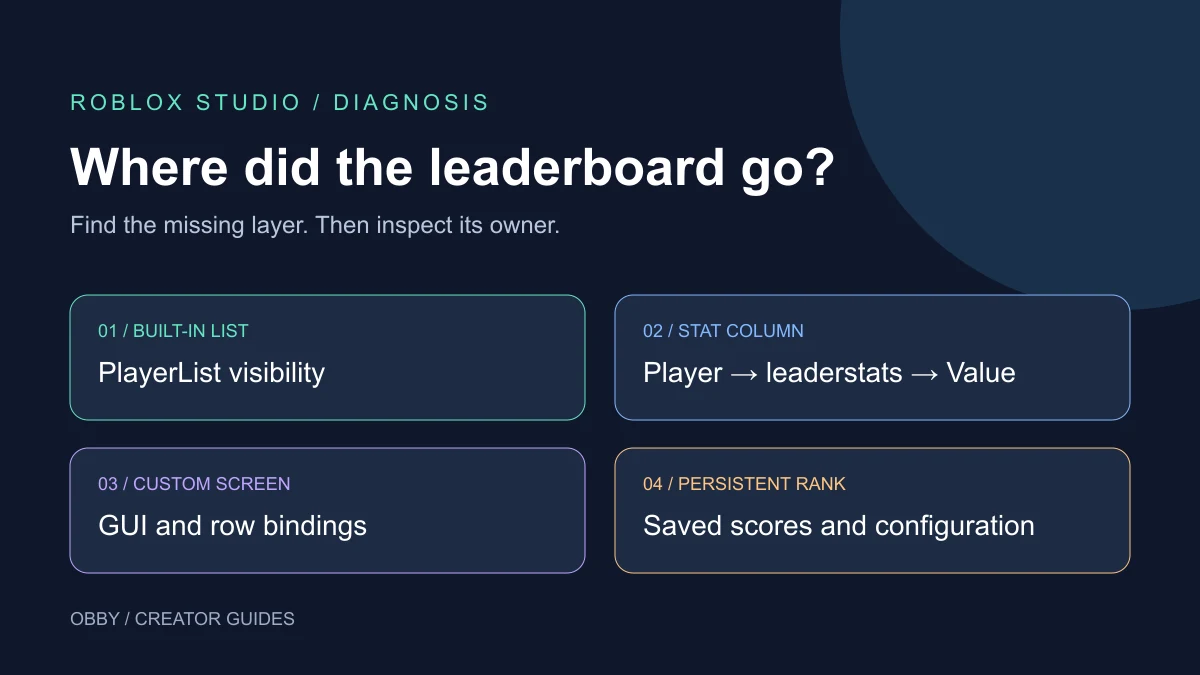
If a Roblox leaderboard is not showing, first identify what disappeared: the entire player list, one stat column, a custom screen, or a Friends/Global ranking. Those symptoms have different causes. Recreating leaderstats will not fix a hidden interface, and enabling the player list will not populate missing saved scores.
Pick the symptom first
| What is missing? | Inspect first | Avoid this false fix |
|---|---|---|
| Entire built-in player list | Client interface state and scripts that hide PlayerList | Adding another stats folder |
| Coins or another column | Player → leaderstats → value object | Changing unrelated GUI dimensions |
| Your custom leaderboard screen | Its ScreenGui and data-binding script | Assuming CoreGui controls custom UI |
| Friends or Global scores | Persistent leaderboard setup and saved score entries | Expecting session Coins to become saved rankings automatically |
If you are playing someone else's game
First check whether the experience uses its own leaderboard menu. Close large game menus, look for an in-game rankings button, and compare the same screen after a normal rejoin. Record whether the list is absent everywhere or only during a particular menu or cutscene. A game can intentionally hide the built-in list.
If only one experience is affected, report its name, your device, the missing screen, and the steps that reproduce it to its creator. If your saved score appears wrong, include the expected value and when it last appeared correctly. Avoid posting private account details. Players cannot repair another creator's server scripts or data-store configuration from their own settings.
If you own the game: inspect runtime data
Start a playtest and inspect the running Player under Players in Explorer. Look for a Folder named exactly leaderstats, with lowercase letters. Its stat objects belong under that Folder, not under the character model or an unrelated Workspace folder. Check both the class and the Value property of the stat you expect to see.
For the basic server setup, use our leaderstats guide. Keep one script responsible for initialization. Adding a second tutorial script while the first still runs can hide the original error behind duplicate objects or competing resets.
The following optional diagnostic only prints the current hierarchy. Place it in a regular Script in ServerScriptService during a spare-place test. It waits five seconds for initialization, then reports what exists at that moment. It does not create or repair stats, save scores, or continuously monitor later changes. This example is documentation-reviewed and has not been executed in Studio for this guide.
local Players = game:GetService("Players")
local function inspect(player)
    task.delay(5, function()
        if player.Parent ~= Players then return end
        local stats = player:FindFirstChild("leaderstats")
        if not stats then
            warn(player.Name, "has no leaderstats after five seconds")
            return
        end
        print(player.Name, "stats object class:", stats.ClassName)
        for _, stat in stats:GetChildren() do
            if stat:IsA("IntValue") or stat:IsA("NumberValue")
                or stat:IsA("StringValue") then
                print(stat.Name, stat.ClassName, stat.Value)
            else
                print(stat.Name, "inspect this child:", stat.ClassName)
            end
        end
    end)
end
Players.PlayerAdded:Connect(inspect)
for _, player in Players:GetPlayers() do inspect(player) end
If your legitimate loader takes longer, inspect again after it finishes. A five-second warning is a timing observation, not proof that the data will never arrive. Use Output to locate the first initialization error, and inspect the actual owning script before changing its order.
Check whether a client script hides PlayerList
Search your project scripts for SetCoreGuiEnabled and PlayerList. Roblox documents hiding the built-in list with a client call to StarterGui:SetCoreGuiEnabled(Enum.CoreGuiType.PlayerList, false). A menu controller may intentionally make that call, then fail to restore the list after the menu closes.
In the client context, StarterGui:GetCoreGuiEnabled(Enum.CoreGuiType.PlayerList) reports that category's enabled flag. Treat this as one observation alongside the visible screen. It does not prove that a particular stat exists or that a custom ranking screen is visible.
Correct the menu's state transition in its existing owner: when should the list hide, and when should it return? Avoid a new loop that repeatedly forces it on. Competing scripts can make the interface flicker or undo intentional cutscene behavior. Use the StarterGui reference for the current methods.
When only a custom leaderboard is missing
A custom ScreenGui is a separate interface. During a client playtest, inspect the live copy under PlayerGui. Check whether its expected screen exists, whether it is enabled, and whether its visible children contain rows. A screen with zero rows is a different problem from a screen that never appears.
Follow one player's data into one row. Does the source stat exist? Did the binding script run? Does the row show a name and score? Then test a second player, a score change, and a departure. Keep UI creation, sorting, and score authority separate while locating the failure. The built-in PlayerList switch does not construct your custom rows.
When Here works but Friends or Global is empty
Roblox's current leaderboard guide distinguishes session leaderstats in Here from persistent Friends and Global rankings. The persistent feature is documented as beta, so availability and behavior can change.
For that workflow, verify the registered ordered data store, its numeric score entries and player-identifying keys, the active Creator Hub configuration, and the server code that writes scores. Test with a player who already has a saved entry. Seeing a session stat does not prove the persistent path is configured.
Inspect before migrating or resetting anything. A missing ranking is not evidence that you should delete a data store. Compare one known saved score with its displayed result, then inspect the responsible write and configuration if they differ.
Verify the fix with a short reproduction
- Record the original missing layer and exact reproduction steps.
- Make one change in the script or configuration that owns it.
- Repeat the original steps, including opening and closing the relevant menu.
- For stat changes, compare the server's value with the client's display.
- Test character respawn separately from leaving and rejoining.
- For persistent rankings, confirm a saved entry rather than relying on the session list.
Write down actual results instead of assuming that a clean Output window means the interface works. If the problem remains, keep the smallest reproducing place and the first relevant error for your next debugging pass.
When building a new experience with Obby, specify whether your leaderboard should show session scores or persistent rankings, and which screens should hide it. That makes the generated behavior easier to review and test in Studio.
Documentation reviewed November 21, 2026.