Use Roblox collision groups when one category of Parts should pass through another while keeping other physical contacts. For player characters, the useful rule is often simple: characters do not collide with characters, but they still collide with the map. Configure that pair deliberately rather than disabling collision on every object.
Where to find Collision Groups in Roblox Studio
The current Creator Hub collisions guide places the Collision Groups editor under Window → 3D. Choose the relevant world, add a group, configure the row/column relationship, and assign the selected Parts. Check the current Studio menu if you are following an older tutorial with a different layout.
Think of the editor as a table of pairwise permissions. Creating a group only supplies a category. You still need a rule for that category and an assignment for the actual Parts. A correctly named row does not prove that your character’s limbs belong to it.
Plan a small collision matrix first
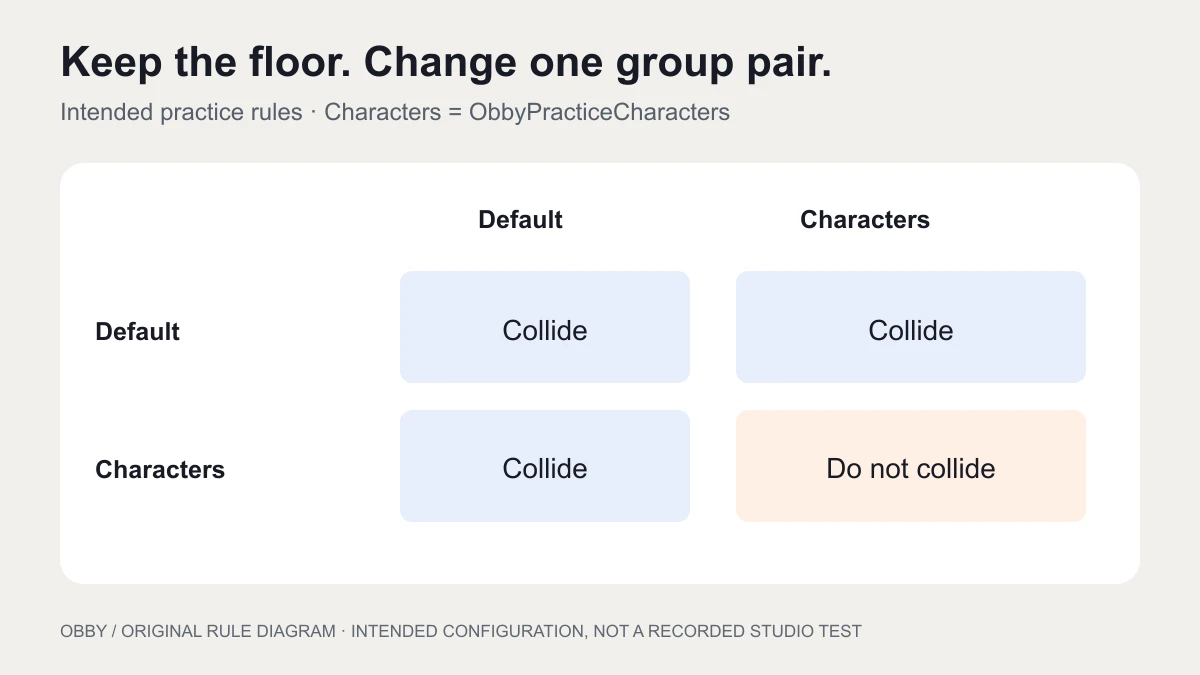
For this practice setup, keep the map in Default and put character Parts in ObbyPracticeCharacters. Leave Default-versus-Default enabled. Enable the character group against Default and disable it against itself. Use a new practice place so the group name and rule ownership do not conflict with an existing system.
| First group | Second group | Rule |
|---|---|---|
| Default | Default | Collide |
| ObbyPracticeCharacters | Default | Collide |
| ObbyPracticeCharacters | ObbyPracticeCharacters | Do not collide |
This is a design plan, not a claim that every map object should stay in Default. A game with vehicles, NPCs, carried objects, or team-specific barriers may require additional categories. Start by writing the desired pair behavior and test each added category on its own.
Disable player-to-player collision with current APIs
Insert one regular Script in ServerScriptService in the practice place. The code registers its group if needed, sets two pair rules, and assigns existing and future character BaseParts. It handles players and characters that already exist when the script starts.
local Players = game:GetService("Players")
local GROUP = "ObbyPracticeCharacters"

if not workspace:IsCollisionGroupRegistered(GROUP) then
    workspace:RegisterCollisionGroup(GROUP)
end
workspace:CollisionGroupSetCollidable(GROUP, GROUP, false)
workspace:CollisionGroupSetCollidable(GROUP, "Default", true)

local boundPlayers = setmetatable({}, {__mode = "k"})
local boundCharacters = setmetatable({}, {__mode = "k"})

local function assignPart(instance)
    if instance:IsA("BasePart") then
        instance.CollisionGroup = GROUP
    end
end

local function bindCharacter(character)
    if boundCharacters[character] then return end
    boundCharacters[character] = true

    character.DescendantAdded:Connect(assignPart)
    for _, instance in character:GetDescendants() do
        assignPart(instance)
    end
end

local function bindPlayer(player)
    if boundPlayers[player] then return end
    boundPlayers[player] = true

    player.CharacterAdded:Connect(bindCharacter)
    if player.Character then
        bindCharacter(player.Character)
    end
end

Players.PlayerAdded:Connect(bindPlayer)
for _, player in Players:GetPlayers() do
    bindPlayer(player)
end

print("Character self-collision enabled:",
    workspace:CollisionGroupsAreCollidable(GROUP, GROUP))
The WorldRoot API reference lists RegisterCollisionGroup, IsCollisionGroupRegistered, CollisionGroupSetCollidable, and CollisionGroupsAreCollidable. Workspace inherits these methods. The PhysicsService reference now marks that service and its collision-group methods deprecated. The example uses the current documented receiver rather than that older service pattern.
The script assigns only BaseParts beneath player characters. It does not apply the group to every object in Workspace or change each Part’s CanCollide value. The weak-key tables guard against binding the same player or character twice, while letting removed instances be collected. Keep one script responsible for this rule in the practice place.
Check two players and a respawn
- Start a Studio test with two players and a solid floor in Default.
- Move the characters toward each other. The intended result is that they pass through each other.
- Walk on the floor and into an ordinary wall. The character-to-Default rule should preserve those contacts where the Parts are otherwise collidable.
- Respawn one player and repeat the same checks.
- Inspect character BaseParts in Explorer and verify their CollisionGroup property.
The Output line checks the configured group relationship; it does not prove the whole physical scene behaves correctly. The code was documentation-reviewed but has not been executed here inside Studio. Record what you observe in your own multi-player test before adapting it to a live game.
If your game adds accessories or other Parts later, inspect those descendants as well. Another controller may reassign a group after this script runs. Resolve that ownership conflict instead of layering several scripts that repeatedly overwrite one another.
Separate collision, touch events, and ray queries
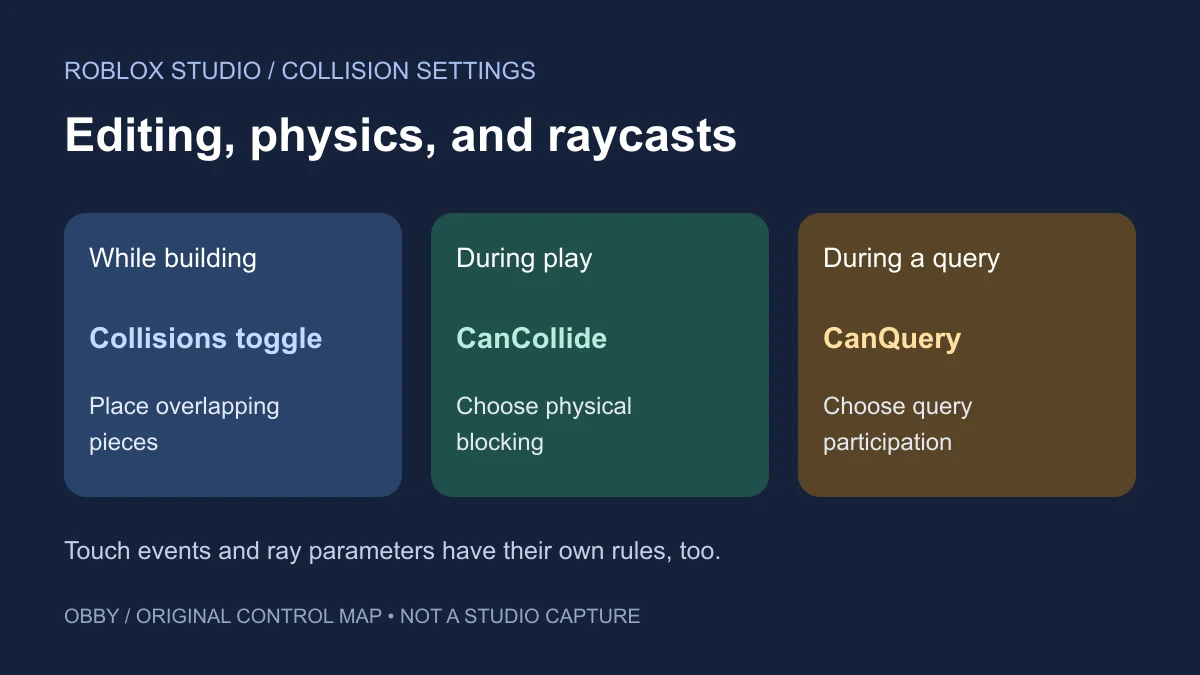
The BasePart reference exposes CollisionGroup, CanCollide, CanTouch, and CanQuery as separate properties. Physical blocking, touch callbacks, and spatial-query eligibility are different questions. Do not infer one solely from whether a Part looks transparent or whether you can walk through it.
For an invisible trigger, decide whether you need a touch event, a query, or both. For a wall, decide which physical categories should be blocked. Write those decisions beside the object’s role before changing properties. A blanket “turn collision off” operation can solve the immediate symptom while removing another interaction you still need.
The raycasting guide gives a separate fixed-target diagnostic for query filtering. When using a query collision group, inspect that query’s settings and group relationships rather than assuming that a physical player test describes its behavior.
Debug the assignment before enlarging the matrix
| Symptom | Inspect next |
|---|---|
| Players still block each other | Actual group on each character BasePart and the self-pair rule |
| The floor stops supporting a character | Floor group, pair rule, CanCollide, and other controllers |
| Behavior changes after respawn | CharacterAdded binding and assignments on the new character |
| New accessories behave differently | DescendantAdded handling and later group reassignment |
| The group name produces an error | Registration in the intended world and exact spelling |
For an isolated pair of Parts rather than an entire category, consider whether a NoCollisionConstraint is a better fit. For an NPC route, continue with pathfinding; collision filtering alone does not calculate a walkable path.
Try the rule on a small cooperative course from the obby prototype briefs. First establish whether players should be able to stack or push one another; then choose the physical rules that support that design. Keep group changes separate from checkpoint and reward logic. For editor placement controls and individual Part flags, see the Studio collision settings guide. Documentation checked November 8, 2026.