Save a copy, then prove you can reopen it
In Roblox Studio, use File → Save to File or Download a Copy to export a local place file. Roblox supports the compact binary .rbxl format and the larger XML .rbxlx format. Saving or publishing to Roblox uploads place data to its servers. See the official place-file guide.
A completed save action is a starting point. For a dependable backup, open the saved copy and check a distinctive recent change. This guide focuses on your Studio project; saving a player’s coins or progress requires a separate DataStore implementation.
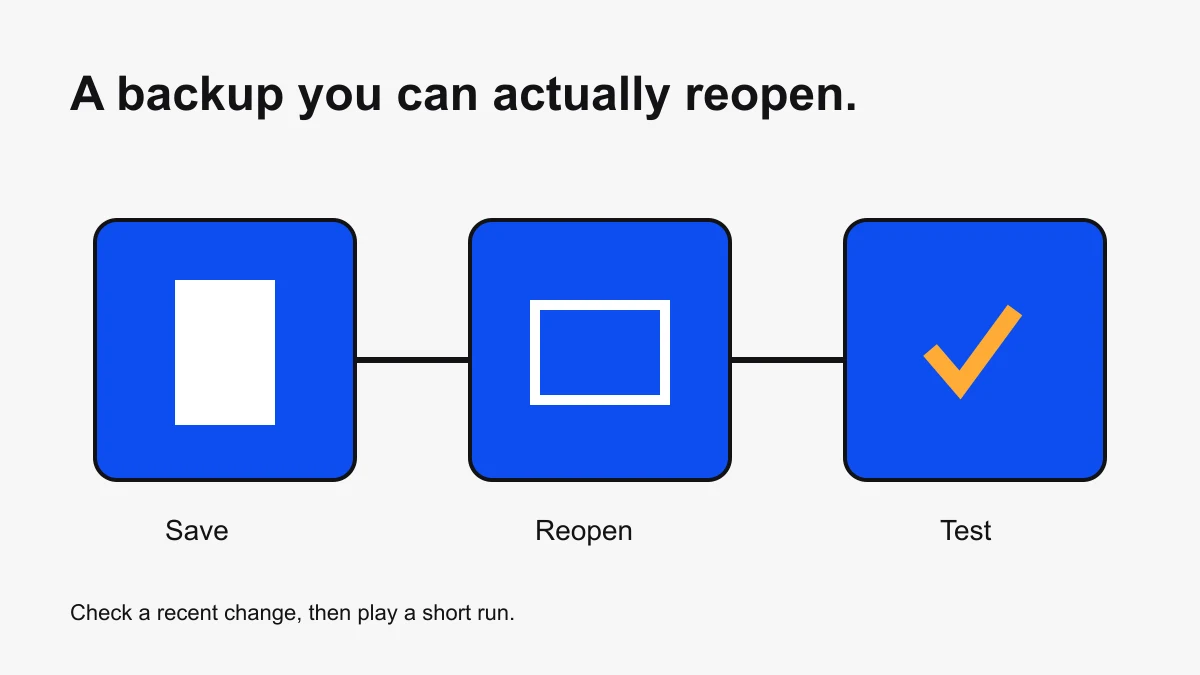
A five-minute save and restore exercise
- Choose a small practice place and note its project name.
- Add a distinctive change, such as an orange platform named BackupCheck.
- Export a local copy with a dated filename and record its folder.
- Open that specific copy in Studio. Keep the original intact until you finish checking.
- Find BackupCheck in Explorer and confirm its color and position.
- Play a short run, stop, and record the result beside the filename.
The marker is an original testing suggestion, not a required Roblox feature. Its purpose is to distinguish a recent copy from an older file with a similar name. Use a harmless change in a practice project rather than altering a live release merely to test saving.
Choose a file format for your workflow
Use RBXL when you want a compact place copy. Use RBXLX when your external tooling expects XML. Changing the filename extension does not convert the underlying file. Export the desired format through Studio and reopen it before relying on it.
If you export a project from Obby, keep that downloaded file separate from the later Studio-edited copy. Give each a clear name, such as course-browser-export.rbxlx and course-studio-tested-2026-10-06.rbxl. The names describe origin and status; they do not certify that the contents work.
Track which place you are editing
Before a cloud update, confirm the account or group, experience, and place you intend to change. Two projects with the same visible name can create confusion. Write down the intended destination instead of relying on a familiar thumbnail.
For publishing steps and access configuration, use the publishing guide and Roblox’s publishing documentation. A local copy is not a public release. Treat changing access settings as a separate decision.
Keep a small backup record
| Field | Example |
|---|---|
| Project | Delivery course prototype |
| Filename | delivery-course-2026-10-06.rbxl |
| Recent change | Orange BackupCheck platform after stage four |
| Reopened | Yes; marker present in Explorer |
| Test result | Spawn, fall recovery, and finish checked |
| Remaining issue | Finish message needs two-player verification |
Record evidence, not just a reassuring label. “Backup good” hides what was checked. A short note about the marker and test result makes the next restore less ambiguous. Keep a known working copy when attempting a larger refactor.
When saving fails
Capture the exact error, save destination, project identity, and whether local export works. Avoid repeating a failed cloud action without learning what changed. Work on a copy while investigating so the original remains available.
Roblox’s place-file documentation lists a 100 MB place limit and describes recovery files when cloud saving fails because of that limit. Recovery behavior depends on collaboration and Auto-Recovery settings. Read the current recovery instructions; do not assume a recovery file is a complete backup strategy.
If an exported place is unexpectedly large, compare successive copies and identify what was added. Inspect imported content and repeated geometry before deleting anything. Test a cleanup in a separate copy and compare behavior, not just file size.
Coordinate saves with collaborators
Before restoring a shared project, agree which version is authoritative and which recent work must be preserved. Ask teammates to pause edits during the recovery operation, then repeat affected tests. Follow the Team Create guide for task ownership and handoffs.
Finish each session by recording the next action: “Test the finish with two players,” for example. The next creator should be able to open the correct file and continue without guessing which copy matters.
Studio file-workflow sources checked October 6, 2026. Your own reopen and playtest results are the evidence that a particular saved copy is usable.