If Roblox Studio shows error 500, preserve your work, record the exact failed action and check the official Roblox Status page first. When the message is an HTTP 500 response, it means the responding server encountered an unexpected condition. The number alone does not identify the failing service, prove your place is damaged or establish one universal fix.
Start with the action that failed
Write down whether the message appeared while launching Studio, signing in, opening a place, saving, publishing or running your own HTTP request. Those are different operations. Keep the complete visible message, including whether it actually says “HTTP 500” or “Internal Server Error.”
HTTP’s 500 definition describes a server-side failure to fulfil a request. It is a status description, not a Roblox-specific diagnosis. If the number came from your own interface or script, first identify what produced it before applying HTTP guidance.
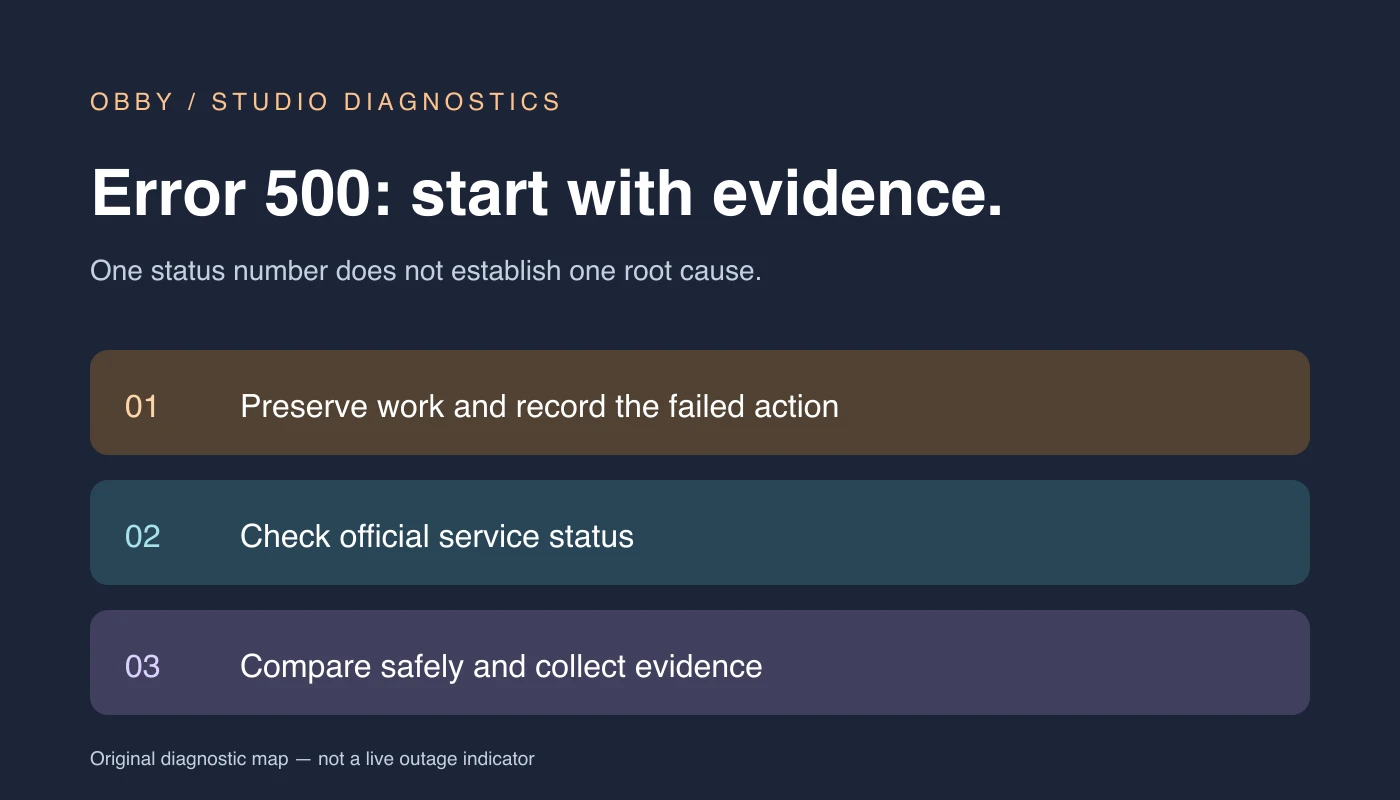
1. Preserve work before restarting or retrying
Keep the current place open long enough to assess unsaved work. Use an available save or local-copy workflow where possible, and record whether that operation actually succeeds. A failed cloud save and a successfully preserved local copy are different outcomes.
For a publish failure, inspect the actual published version before sending another publish request. A visible failure does not by itself tell you whether a state-changing operation partially completed. Avoid an automatic loop of repeated saves, uploads or publishes while you are still identifying the symptom.
2. Check Roblox’s official service status
Open Roblox Status and check the relevant component and incident history at the time of your error. Studio, Creator services and related components can provide context. Record the incident title and time rather than relying on an old screenshot or someone else’s “Roblox is down” post.
If a relevant incident is active, follow its updates and keep your preserved work. If no incident is listed, that does not prove every request is healthy or that your computer caused the failure. Continue with a narrow comparison instead of treating a green status page as a diagnosis.
3. Compare a spare project with the affected one
When it is safe to do so, try the same basic operation in a spare, simple project you own. Keep the account, device and action as consistent as possible. Do not overwrite a production place just to create a test case.
| Observation | What it helps isolate | Next evidence |
|---|---|---|
| Several owned projects fail on the same action | A broader client, account, network or service path | Exact times, status updates and client details |
| Only one project reproduces the symptom | A project-specific comparison | Minimal reproduction and recent changes |
| Only a custom HTTP request returns 500 | The request’s destination service | Endpoint ownership and that service’s diagnostics |
| A later controlled retry works | The symptom changed | Record both times; do not invent a cause |
These are investigation branches, not confirmed root causes. A successful spare project does not prove the original is corrupt, and a failed spare project does not establish a platform-wide outage.
If your own HttpService request returns 500
A response from an external endpoint is distinct from Studio failing to open a place. Identify the service receiving the request and use its server logs or support channel if you control or operate it. Keep credentials and request bodies out of public reports.
Use our HTTP requests setup and check guide for that separate workflow. Enabling Allow HTTP Requests is not a general repair for a 500 response from a server. Changing unrelated security settings makes a comparison harder to interpret.
Local checks after the service comparison
Roblox’s general Studio issues article offers client troubleshooting, including restarting and checking the system clock on Windows. Preserve your work first and apply one relevant check at a time. Its older operating-system examples are not a replacement for the current Studio setup requirements.
If you use a managed school or workplace connection, involve its administrator for network configuration questions. Record recent changes rather than disabling firewall or proxy protections as a generic “500 fix.” If an update or reinstall becomes relevant, use Roblox’s official instructions and preserve local project files first.
Collect useful evidence for Roblox Support
Download the incident worksheet. It contains fields for the failed action, exact time, project comparison, status observation and result of one controlled check. It executes nothing and reads no files.
For a persistent issue, use Roblox Support with clear reproduction steps, the exact message, device and OS details, and the affected project information requested through that channel. Separate what you observed from what you suspect.
The official Studio logs guide explains how to identify logs by timestamp. On Windows, the Win32 folder is %localappdata%\Roblox\logs; on Mac, use your user Library → Logs → Roblox. Keep relevant logs locally and send them only through the staff-requested channel described by Roblox. Do not post a raw log archive publicly.
Return to the build with a clear result
After the failed action succeeds, verify the intended state: the correct place opens, the expected version is saved, or the intended publication is visible. Record the recovery time and any unresolved symptom. “It worked after a restart” describes a sequence; it does not prove the restart resolved the server’s underlying condition.
For planning your next small project, Obby can help start a prototype. You still need to inspect and test the Studio project and its publishing workflow. This article does not offer Obby as a bypass for a Roblox service incident.
Sources and limits
Official Roblox support, status and setup sources and the HTTP specification were reviewed November 25, 2026. The worksheet and diagnostic map are original aids. We did not reproduce a native Studio error 500, change a user’s network settings or verify a universal repair.
For an actual HTTP 501 response, compare the method and endpoint contract in the HTTP 501 method exercise.