Why Build Roblox Games?
Roblox is the world's largest user-generated gaming platform, with over 70 million daily active users. If you've ever wanted to build a game that millions of people can play, Roblox is the fastest way to make it happen. The barrier to entry is low, the audience is massive, and developers earn real money through the platform's economy.
Whether you want to build Roblox games as a hobby, to learn game development, or to start earning Robux (which converts to real currency), this guide covers everything you need to get started in 2026.
What You Need to Build a Roblox Game
Getting started is straightforward. Here's what you need:
- A Roblox account — free to create at roblox.com
- Roblox Studio — the free game engine, downloadable from the Roblox website
- A supported PC or Mac — Roblox currently lists Windows 10 and macOS 10.14 as the minimum operating systems
- An idea — obbies, tycoons, simulators, RPGs — pick a genre you enjoy playing
That's it. No game development experience required, no expensive software, no special hardware.
Step 1: Install and Set Up Roblox Studio
Download Roblox Studio through the official setup guide. Once installed, log in with your Roblox account. Choose Baseplate for a clean starting point or a current playable template such as Platformer or Racing for a head start.
Key areas of Studio to learn first:
- Explorer panel — shows every object in your game as a tree structure
- Properties panel — edit any selected object's settings (size, color, material, etc.)
- Toolbox — browse free models, plugins, and assets from the community
- Script editor — where you write Luau code to add game logic
Step 2: Build Your Game World
Start by placing and modifying Parts — the basic 3D building blocks in Roblox. You can change their shape, size, color, and material. Group parts together into Models to create structures like buildings, obstacles, and terrain.
Pro tips for building:
- Use grid snapping (toggle with Ctrl+Shift+G) to align parts precisely
- Enable collisions so parts don't overlap unintentionally
- Use the Material Manager for realistic-looking surfaces
- Import meshes and textures for custom visual assets
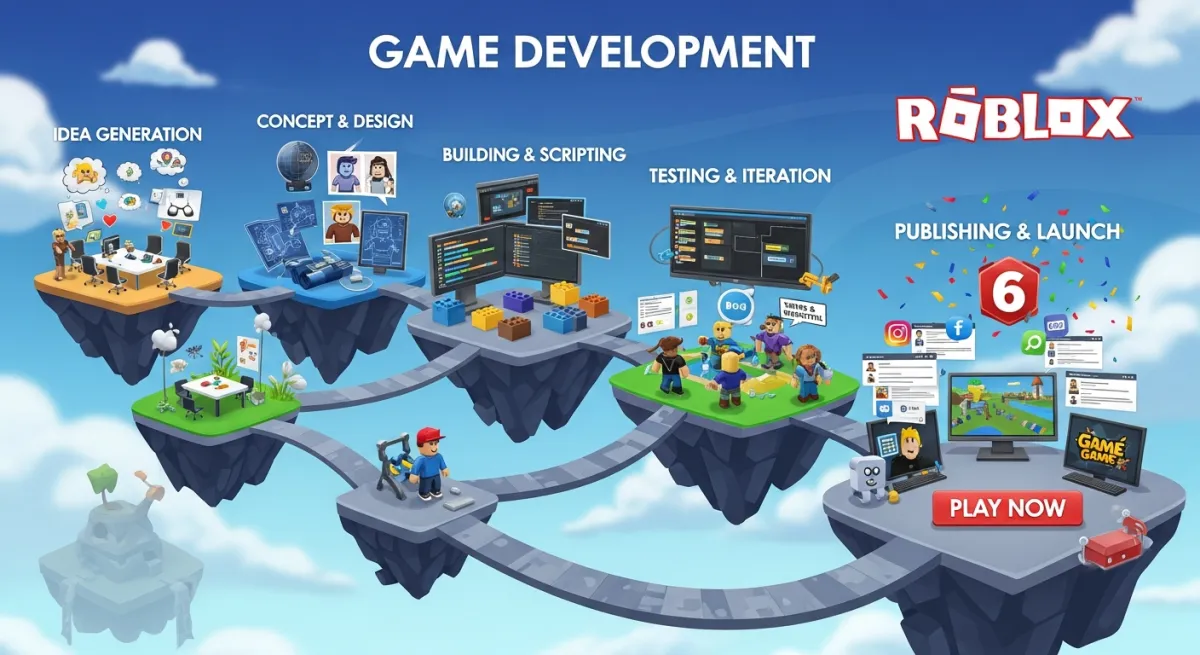
Step 3: Add Game Logic with Luau Scripts
Roblox uses Luau, a fast, typed scripting language derived from Lua. Scripts bring your game to life — they control player movement, enemies, scoring, UI, and everything interactive.
There are three types of scripts in Roblox:
- Server Scripts — run on the server, handle game logic, data, and security
- Local Scripts — run on the player's device, handle UI and input
- Module Scripts — reusable code shared between other scripts
Here's a simple example — a script that gives players 10 points when they touch a part:
local part = script.Parent
local function onTouched(hit)
  local player = game.Players:GetPlayerFromCharacter(hit.Parent)
  if player then
    local leaderstats = player:FindFirstChild("leaderstats")
    if leaderstats then
      leaderstats.Score.Value = leaderstats.Score.Value + 10
    end
  end
end
part.Touched:Connect(onTouched)
Don't want to learn scripting from scratch? Tools like Obby can generate Luau scripts for you using AI — just describe what you want in plain English.
Step 4: Test Your Game
Click the Play button in Roblox Studio to test your game locally. You can test as a single player or simulate multiple players to check multiplayer functionality. Use the Output window to debug errors in your scripts.
Common things to test:
- Can players complete the core gameplay loop?
- Are there any spots where players get stuck or fall out of the map?
- Do scripts run without errors?
- Does the game feel fun?
Step 5: Publish to Roblox
When your game is ready, go to File → Publish to Roblox. Set the name, description, icon, and thumbnail, then open Creator Hub to complete the content questionnaire and review Eligibility and Audience Reach. Publishing saves the project to Roblox; it does not automatically make it available to every audience. Use the current publishing guide for the release rules.
To maximize visibility:
- Write a compelling description with relevant keywords
- Create an eye-catching thumbnail and icon
- Add appropriate tags so players can discover your game
- Share on social media and Roblox community forums
Step 6: Monetize Your Game
Once players start coming, you can earn through:
- Game Passes — one-time purchases for special abilities, items, or access
- Developer Products — consumable items players can buy repeatedly (coins, boosts)
- Creator Rewards — earn for qualifying Daily Engagement and Audience Expansion activity
- Private Servers — let players pay for their own server instance
Top Roblox developers earn millions of dollars per year. Even smaller games can generate meaningful income with the right monetization strategy.
The Faster Way: Build Roblox Games with AI
The traditional workflow — learning Studio, mastering Luau, building from scratch — takes weeks or months. But in 2026, you don't have to start from zero.
Obby lets you describe your game idea in plain English and generates the complete game for you — 3D world, Luau scripts, UI, and a ready-to-publish .rbxlx file. You can preview it in the browser and export directly to Roblox Studio.
Whether you're a complete beginner or an experienced developer looking to prototype faster, AI tools can cut your development time from weeks to minutes. Try Obby free and build your first Roblox game today.